

Google Search Console (GSC) is one of the most important tools for SEO. It helps you understand how your website appears in Google results, identify technical issues, and monitor keyword performance. In this guide, we’ll look step by step at how to connect and configure GSC.
1. What is Google Search Console?
Google Search Console is a free platform from Google that provides data and tools for website owners. With it, you can:
- View reports on clicks, impressions, and CTR.
- Monitor page indexing.
- Identify technical issues.
- Submit your sitemap.
- Download performance reports for in-depth analysis.
2. How to connect a website to Google Search Console
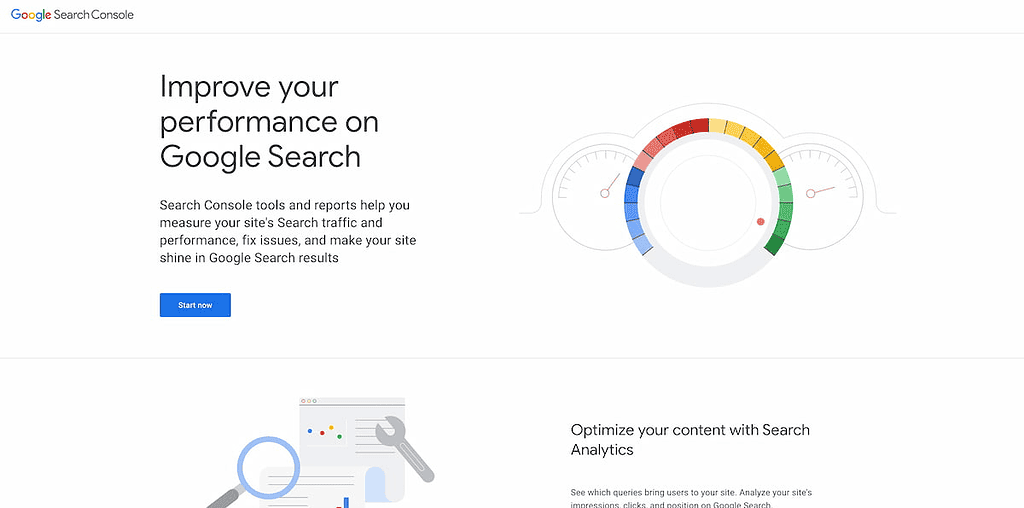
Step 1: Go to Google Search Console and click Start Now
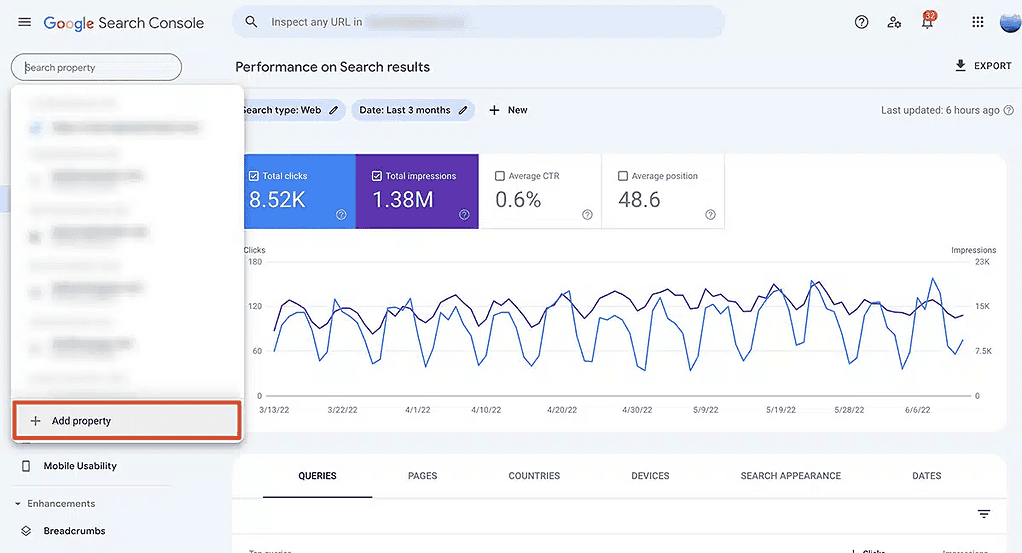
Step 2: Click “Add Property”.
Two options will appear:
- Domain: connect the entire domain (e.g. example.com).
- URL prefix: connect only a specific section (e.g. https://example.com/blog).
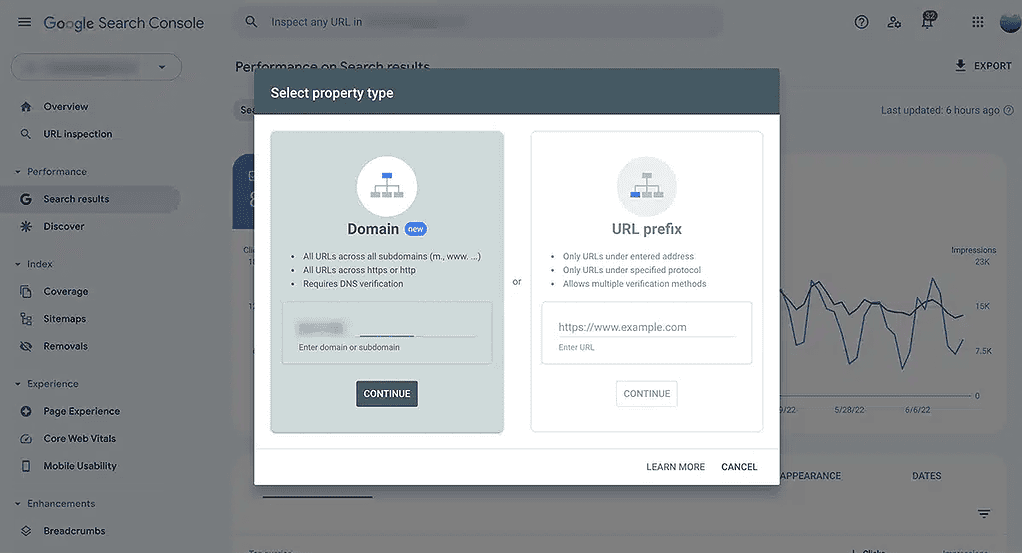
Recommendation: Use the option Domain, because it covers all subdomains and protocols (http, https, www).
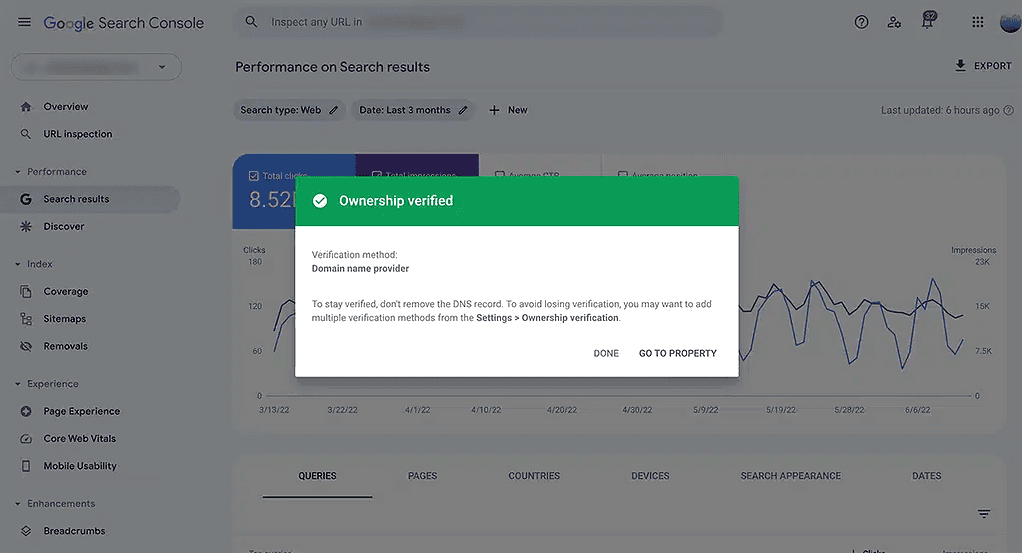
Step 3: Ownership verification
Google asks you to verify that you are the owner of the website. The most commonly used options are:
- Adding a TXT record in the domain's DNS.
- Uploading an HTML file to the site's server.
- Adding a meta tag in the site's <head>.
- Connecting through Google Analytics or Google Tag Manager.
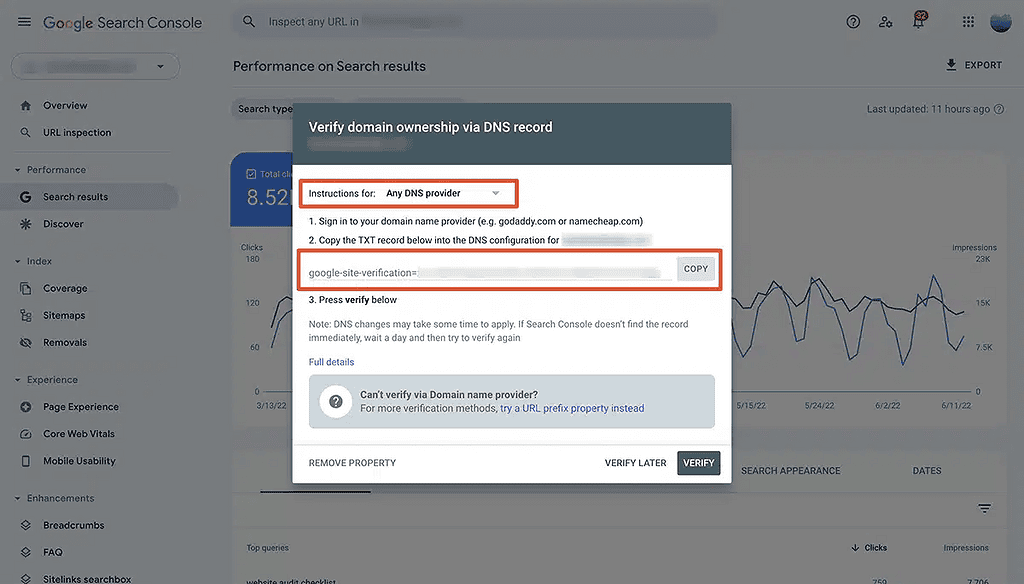
3. Initial setup after verification
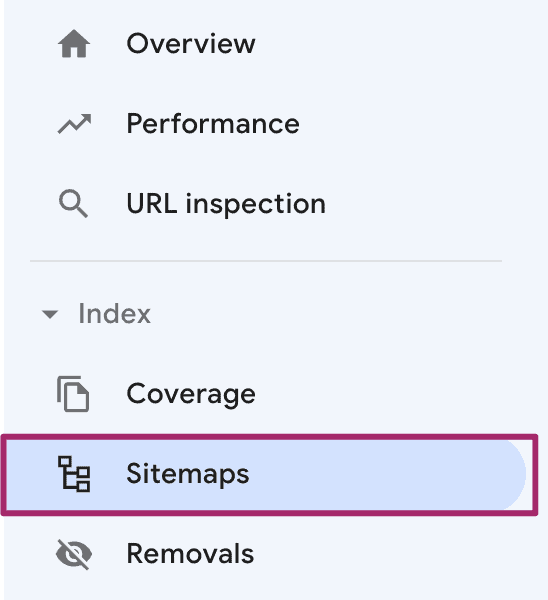
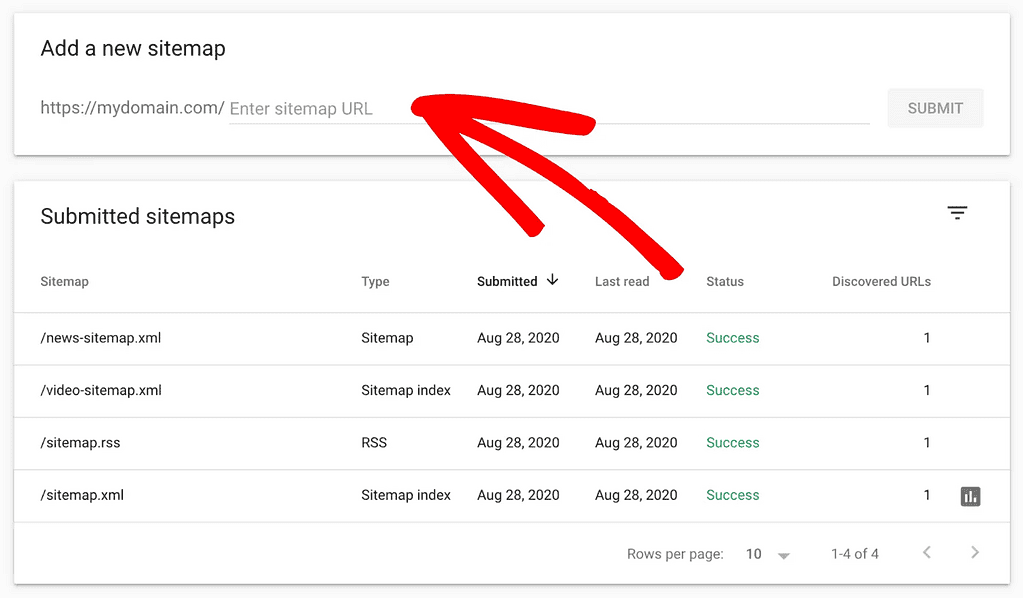
a) Add a sitemap
- In the left-hand menu, select Sitemaps.
- Add the sitemap link, usually
https://example.com/sitemap.xml.
b) Check Mobile Usability
Google analyzes whether the site is mobile-friendly. If there are any issues, you’ll see them here.
c) Check the Coverage report
This report shows you which pages have been indexed and which ones have issues.
d) Connect to Google Analytics (optional)
This provides more combined data on visits and organic performance.
4. The most common setup mistakes
- The sitemap is not added.
- Not all domain versions are used (http/https, www/non-www).
- Google Search Console notifications are not checked.
- The need for a review after changes to the site is often overlooked.
5. Long-term benefits
By using GSC regularly, you can:
- Discover the keywords that generate traffic.
- Improve technical SEO.
- Increase your Google rankings.
- Reduce indexing errors.
If these instructions seem a bit difficult, you can also follow the video below. Note: A person who is not familiar with websites, hosting, or coding may find it difficult to complete this process without the help of someone more experienced.

