
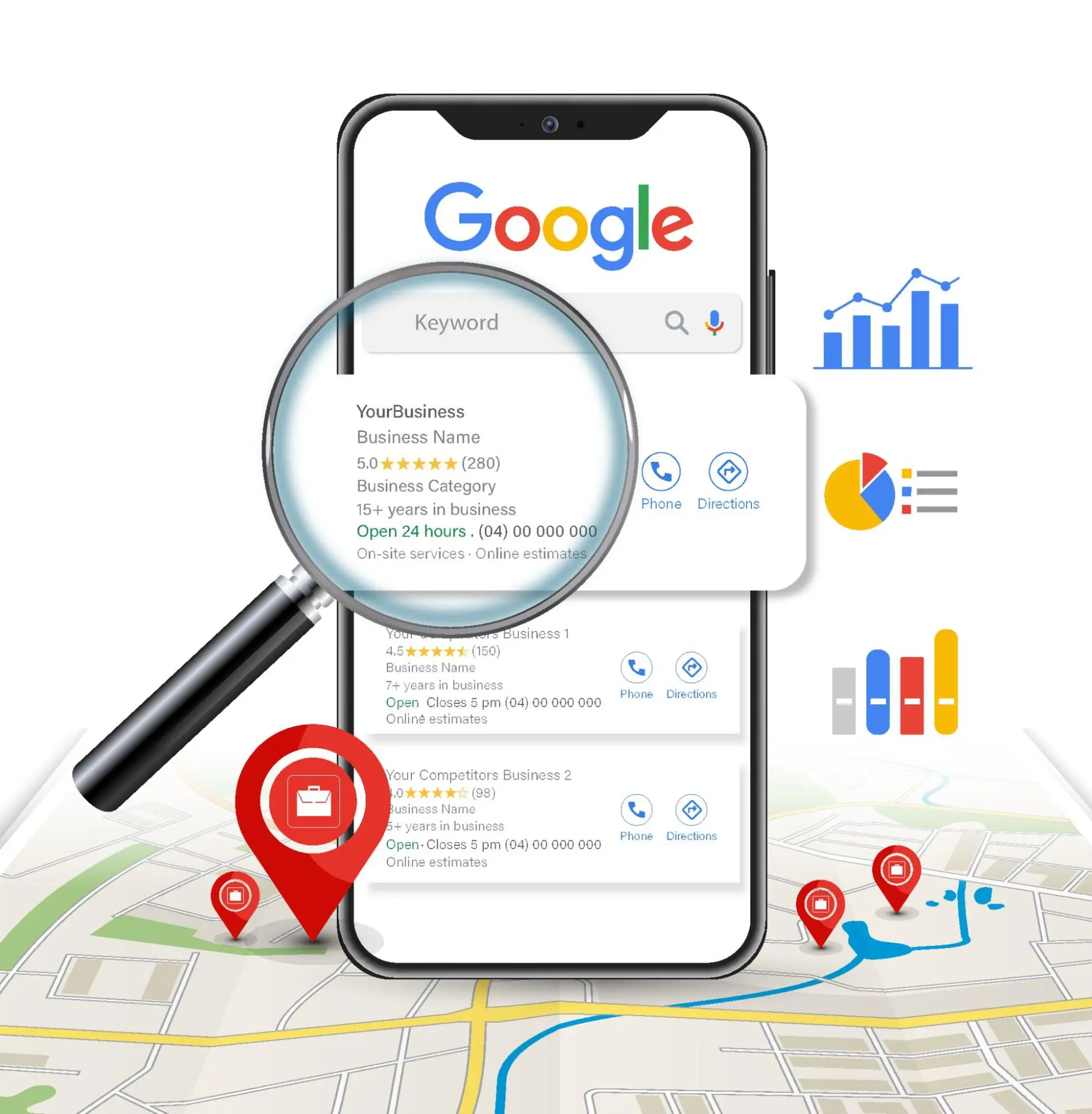
What Is Google Business Profile (formerly Google My Business)?
Google Business Profile (GBP), formerly known as Google My Business, is a free tool provided by Google that allows businesses to manage their online presence on Google Search and Google Maps. It is one of the most important tools for local SEO and an essential element for any business that wants to be found by local customers.
According to recent studies, 76% of local searches result in a physical visit to a business within 24 hours. This makes Google Business Profile one of the most effective digital marketing channels for local businesses.
Why Is Google Business Profile Important?
Key Benefits
Increased Visibility in Local Search When a user searches for a service or product nearby (e.g. “restaurant Tirana” or “beauty salon near me”), Google displays Google Business Profile results at the top of the search page, often before organic results.
Free, High-Quality Traffic Your profile appears free of charge on Google Search and Maps, giving you access to millions of users searching for your services every day.
Accessible Information for Customers Your customers can quickly find:
- Your phone number
- Your address and map directions
- Business hours
- Photos and videos
- Reviews from other customers
- Information about your services/products
Detailed statistics You can monitor how customers interact with your business:
- How many times your profile has been viewed
- What keywords they use to find you
- How many phone calls you have received through your profile
- How many direction requests you have received
- How many times your photos have been viewed
What Happens If You DON’T Have a Google Business Profile?
If your business does not have a verified Google profile, you:
- Do NOT appear in Google Maps results
- Are one step behind your competitors
- Lose potential customers searching online
- Have no control over the information displayed about your business
- Cannot respond to customer reviews
According to statistics, 80% of consumers lose trust in local businesses if they see inaccurate or inconsistent information.
How to Create a Google Business Profile: A Step-by-Step Guide
Step 1: Sign In to Google Business Profile
Go to: google.com/business or search for “Google Business Profile” on Google.
If you already have a Google account (Gmail), use it. If not, create a new account. It is advisable to use a business email instead of a personal email.
Step 2: Add Your Business Name
Enter your exact business name as you want it to appear on Google.
IMPORTANT TIP:
- Use your official business name
- Do not add keywords or descriptions to the name (e.g. do not write “Beauty Salon – The Best in Tirana”)
- Google may reject verification if the name is not accurate
- If there are other businesses with a similar name, you will see automatic suggestions
Step 3: Choose Your Business Category
The category is one of the most important elements for local SEO. It tells Google what type of business you are and which searches it should show you for.
How to Choose the Right Category:
- Choose the most specific category that describes your business
- You can add up to 9 additional (secondary) categories
- The primary category has the biggest impact on rankings
- Examples: “Restaurant”, “Beauty Salon”, “Photography Studio”, “Clothing Store”
Practical Example: If you have an Italian restaurant, the primary category should be “Italian Restaurant”, not simply “Restaurant”. Secondary categories can be “Pizzeria”, “Restaurant”, “Bar”.
Step 4: Business Location
You have three options:
A. Business with a Physical Address (Storefront) If customers come to your location:
- Add the full and accurate address
- Make sure the address is officially registered
- This will be publicly visible on Google Maps
B. Service Area Business If you go to customers (e.g. plumber, electrician, cleaning service):
- You can hide your address
- Specify the areas where you provide service
- You can choose specific cities or radius in kilometers
C. Hybrid Business If you have both (e.g. a shop and in-home service):
- Add the physical address
- Also specify the service areas
HIGH IMPORTANCE:
- The address must be unique for each location
- P.O. boxes are not allowed
- The address must match the official documentation
Step 5: Contact Information
Add as much accurate information as possible:
Phone Number:
- Use a local number (not an international one if possible)
- Prefer the business's main phone number
- Make sure you can be reached at this number
Website:
- If you have a website, be sure to add it
- This increases credibility and improves SEO
- If you don’t have one, Google offers you the option to create a free website
Step 6: Business Hours
Specify your exact business hours for each day of the week:
- You can set different hours for different days
- Add special hours for holidays (e.g. New Year, Eid)
- Update it regularly if your hours change
TIP: Businesses with detailed and up-to-date hours tend to rank higher in the results.
Step 7: Business Description
You have 750 characters to describe your business. This is your opportunity to explain what makes you unique.
How to Write an Effective Description:
Poor Example:
"We’re the best. Quality service. Come to us."

Good Example:
"'Objektivi' Photography Studio has been offering professional photography services for weddings, events, and portrait sessions in Tirana and the surrounding area since 2015. Our team, with 10 years of experience, captures unforgettable moments through artistic photography and videography using advanced technology. We specialize in aerial drone photography, product photography for businesses, and family sessions. We offer customized packages based on your needs, as well as premium albums with professional design."
Description Tips:
- Include natural keywords that customers might search for
- Explain what sets you apart from competitors
- Mention your main services
- Add years of experience or certifications
- Include the geographic area you serve
- Don’t artificially stuff in keywords
- Write naturally and in a readable way
Step 8: Business Attributes
Attributes are specific characteristics that make your business more attractive to customers.
Examples of Attributes:
- “Women-owned”
- “Family-owned business”
- “Wheelchair accessible”
- “Free Wi-Fi”
- “Parking”
- “Accepts credit cards”
- “Online booking”
- “Delivery service”
These attributes appear on your profile and help customers better understand what your business offers.
Step 9: Business Verification
Verification is the most important step. Without verification, you cannot fully manage your profile.
Verification Methods:
1. By Mail (Most Common in Albania)
- Google sends a postcard with a code to your address
- It usually arrives within 2–4 weeks
- Enter the 5-digit code in your profile
- This is the most commonly used method for businesses with a physical address
2. By Phone/SMS
- Some businesses can be verified instantly by phone
- Receive a code via call or SMS
- Enter the code in your profile
- Not everyone has this option
3. By Video
- A new method offered by Google
- Record a video showing your business and sign
- The review takes a few business days
4. By Email
- Special Cases for Certain Types of Businesses
- Get a code via your business email
5. Instant Verification
- If you are verified in Google Search Console for your website
- Automatically for some established businesses
CRITICAL IMPORTANCE: Do not make any major changes to your profile during the verification process, as this may delay or cancel the verification.
How to Optimize Your Google Business Profile for Better Results
After creating and verifying it, the work is not done. A well-optimized profile can significantly increase your visibility.
1. Photos and Videos: The Most Important Visual Element
Important Statistics:
- Businesses with photos receive 42% more requests for directions on Google Maps
- Businesses with photos get 35% more clicks to their website
Types of Photos You Should Add:
A. Main Photo (Profile Photo)
- Your logo or a clear photo of your business
- Recommended size: 720×720 pixels (minimum 250×250)
- Format: JPG or PNG
B. Cover Photo
- An exterior photo of your business or your most attractive space
- Size: 1024×576 pixels
- This is the first photo customers see
C. Interior Photos
- Different areas of your business
- Show the space, design, and atmosphere
- Minimum 8–10 photos
D. Exterior Photos
- The business facade from different angles
- Signs, entrance, parking
- They help customers find you more easily
E. Team Photos
- Your staff at work
- Creates an emotional connection with customers
- Demonstrates professionalism
F. Product/Service Photos
- Your best work
- The products you sell
- Specific examples of your services
G. Videos (VERY IMPORTANT)
- Videos up to 30 seconds
- Virtual tour of the business
- Service presentation
- Customer Testimonials
Technical Tips for Photos:
- Use high-quality photos (not blurry)
- Avoid exaggerated filters
- Use well-lit photos (prefer natural light)
- Update your photos regularly (every 2–3 months)
- Add at least 1 new photo every week
2. Publishing Content (Posts)
Google allows you to create posts that appear on your profile, like a mini-blog or social network.
Types of Posts:
A. Update Posts
- News about your business
- New products
- New services
- Changes to business hours
B. Special Offers
- Discounts and promotions
- Limited-time offers
- Coupons and promo codes
- Expiration date
C. Events
- Upcoming events
- Seasonal promotions
- Business anniversaries
- Special events
D. New Products
- Product launches
- New collections
- Expanded services
Recommended frequency:
- Minimum of 1 post per week
- Ideal: 2–3 posts per week
- Active posts signal to Google that the business is active
Optimal Post Format:
- Text: 100–300 characters (short and to the point)
- 1–2 high-quality photos
- Call-to-Action: “Book Now”, “Learn More”, “Buy Now”
- Website link (optional)
3. Products and Services
Add a complete catalog of what you offer.
For Services:
Example - Beauty Salon:
- Haircut - 1,500 lek
  Description: Professional haircut for every style, free consultation

- Coloring - 3,000-5,000 lek
  Description: Coloring with products from the best brands

- Keratin Treatment - 8,000 lek
  Description: Brazilian treatment that lasts up to 6 months
For Products:
- Add high-quality product photos
- Detailed descriptions
- Transparent pricing
- Product categorization
Benefits:
- Customers can immediately see what you offer
- Increases the chances of a purchase/booking
- Improves your profile's SEO
- Makes it easier to compare with competitors
4. Questions and Answers (Q&A)
The Q&A section is the most neglected, but very important.
Proactive Strategy:
- DON'T wait for customers to ask
- Add frequently asked questions yourself and answer them
- This helps control the narrative
Examples of Questions You Should Add:
- “Do you have parking?”
- “Do you accept card payments?”
- “What is the average price?”
- “Are you open on Saturdays?”
- “Do you accept online bookings?”
- “Do you offer a warranty?”
- “How long does the service take?”
Why It’s Important:
- Questions and answers appear on your profile
- Other customers can upvote the answers
- Answers are indexed by Google (they help with SEO)
- Reduces the number of phone calls for simple questions
Managing Customer Questions:
- Reply within 24 hours
- Be polite and professional
- Provide detailed and helpful answers
- Avoid yes-or-no answers like “Yes” or “No”
5. Reviews: The Heart of Google Business Profile
Reviews are the #1 factor influencing customers’ decision to choose your business.
Shocking Statistics:
- 93% of consumers read reviews before making a purchase
- A rating above 4/5 stars is considered good
- Businesses with more positive reviews appear higher in search results
How to Get More Reviews:
Method 1: Ask Directly After a successful service, simply ask the customer: “Would you have time to leave us a review on Google? It would help us a lot!”
Method 2: QR Code
- Create a QR code that links directly to your review link
- Place it on the table, at the register, or on flyers
- Customers can scan it and leave a review immediately
Method 3: Email/SMS Send a thank-you message after the service with a review link:
"Thank you for choosing [Business Name]! We’d love to hear about your experience.
Could you leave us a review? [Link]"
Method 4: On the Invoice/Receipt Add a note at the bottom of the invoice: “Please rate us on Google! QR Code here →”
How to Get Your Review Link:
- Sign in to Google Business Profile
- Go to “Get more reviews”
- Copy the short link
- Use this link anywhere
The link looks like this: https://g.page/emri-i-biznesit-tuaj/review
6. How to Manage Reviews (Positive and Negative)
Golden Rule: Respond to EVERY review
Positive Reviews:
Good Example:
"Thank you so much, [Customer Name], for your kind words! We’re happy to hear that you were satisfied with [specific service]. We look forward to seeing you again! 😊"

What Not to Do:
"Thank you" (Too short and lacks personality)
"Thank you! Come again!" (Copy-paste, no personalization)
Negative Reviews:
Step 1: Thank them for the feedback
"Thank you for taking the time to write to us..."

Step 2: Apologize (even if you are not at fault)
"We're sorry to hear that you were not completely satisfied..."

Step 3: Explain (without over-justifying)
"We always strive for [standard], and it seems that this time..."

Step 4: Offer a solution
"We would like the opportunity to make this right. Could you contact us at [phone/email]?"

Step 5: Take it offline
"Please email us at [email] so we can discuss this further."
NEVER:
- Do not become aggressive or defensive
- Do not accuse the customer of lying
- Do not write emotional responses
- Do not ignore negative reviews
Fake/Spam Reviews: If you receive a review that you believe is fake:
- Report it to Google (the “Flag as inappropriate” button)
- Explain why it is fake
- Do not respond publicly in an aggressive manner
- Be patient – Google reviews reports
7. Insights: Monitor Performance
Google gives you detailed statistics for free. Use them to improve your strategy.
Key Metrics:
A. Views
- How many times your profile was viewed on Google Search
- How many times your profile was viewed on Google Maps
- Monthly/weekly trend
B. Searches
- Direct Searches: People searching for your specific business name (Shows strong brand awareness)
- Discovery Searches: People searching for categories or services (Shows how well you are optimized for local searches)
- Branded Searches: Variations of your business name
C. Actions
- Number of phone calls
- Number of direction requests
- Number of website visits
- How many clicks on the “Message” button
D. Photography
- How many times your photos have been viewed
- Comparison with similar businesses
- Most viewed photos
How to Use This Data:
- If you have a lot of views but few actions:
- Your photos may not be appealing
- The description is not clear
- Your business hours may be inaccurate
- If you have more discovery searches than direct searches:
- Great! This means people who don’t already know you are finding you
- Keep optimizing for local keywords
- If you receive few direction requests:
- Your address may not be clear
- Add more exterior/facade photos
- Compare with Competitors:
- Google shows you how you perform compared to similar businesses
- Use this to identify weaknesses
Advanced Strategies to Dominate Local Search
1. NAP Consistency (Name, Address, Phone)
One of the most important factors for local SEO is the consistency of your information online.
Rule: Your Name, Address, and Phone Number must be EXACTLY the same everywhere you are listed:
- Google Business Profile
- Website
- Facebook Business Page
- Instagram Bio
- Local directories (infocotum.al, etc.)
- Food portals (if you are a restaurant)
Bad Example:
- Google: “Restaurant ‘Arka’, Kavaja Street 123, Tirana”
- Facebook: “Arka Restaurant, 123 Kavajës Street, Tirana, Albania”
- Website: “Arka – A Good Restaurant, Kavajes Street, No. 123”
Good Example:
- Everywhere: “Restaurant Arka, 123 Rruga e Kavajës, Tirana 1001”
- Phone number everywhere: “+355 4 224 5678”
2. Multiple Categories (But Related)
Use all 10 categories that Google allows, but only those that are truly relevant.
Example – Café with Desserts:
- Café (Primary)
- Pastry Shop
- Breakfast Restaurant
- Bar
- Pastry Shop
- Takeaway
IMPORTANT: Do not add categories that do not apply to your business. If you say you are a “Fast Food Restaurant” but only serve coffee, this will hurt your ranking.
3. Peak Hour Optimization
If your business has peak hours, highlight them in your description.
“Open every day from 8:00 AM to 10:00 PM. Quieter hours: 10:00 AM-12:00 PM and 3:00 PM-5:00 PM.”
This helps customers plan their visit and reduces wait times.
4. Specialized Attributes
Google continuously adds new attributes. Make sure you have enabled all the ones that apply:
For Restaurants:
- Vegetarian menu
- Gluten-free menu
- Menu barcode
- Outdoor seating
- Live music
- Free Wi-Fi
For Services:
- Free consultation
- Free quote
- 24/7 emergency
- In-home service
- Installment payments
For Retail:
- Try before you buy
- 30-day returns
- Warranty
- Free installation
5. Booking and Integrations
If possible, integrate booking systems directly into your Google Business Profile:
For Restaurants:
- Booking systems (OpenTable, TheFork, etc.)
- Online ordering
- Home delivery
For Services:
- Appointment booking (Calendly, SimplyBook, etc.)
- Online price quotes
- Live chat
Benefits:
- Customers book directly through Google without leaving
- Increase conversions by 30–50%
- Google prioritizes businesses with integrations
6. Using Messaging
Enable the messaging option on your profile.
How It Works:
- Customers click “Message” on your profile
- You receive a notification in the Google Maps app (on your phone)
- Reply directly through the app
Benefits:
- 35% of customers prefer messages instead of calls
- You can reply even outside business hours
- Message history is saved
Best Practices:
- Reply within 1 hour (if you're working)
- Use saved replies for frequently asked questions
- Be professional but friendly
- Don't ignore messages
The Most Common Mistakes to Avoid
1. Keyword Stuffing
WRONG: “Best Beauty Salon Tirana Best Hair Salon Tirana Haircuts Coloring Tirana”
CORRECT: “‘Stili’ Beauty Salon – Haircuts, Coloring, and Professional Treatments in Tirana”
2. Incorrect Categories
Do not use categories that do not apply to your business just to appear in more searches. Google will penalize you.
3. Ignoring Negative Reviews
Unanswered negative reviews harm your business 10x more than the review itself.
4. Poor-Quality or Outdated Photos
Dark, blurry, or outdated photos create a negative impression.
5. Inconsistent Information
If you change your phone number or address, update it EVERYWHERE.
6. Creating Multiple Profiles
One business = One profile. Duplicate profiles can lead to suspension.
7. Home Address (for businesses that do not receive customers)
If you work from home but travel to clients, hide your address and select “Service Area Business”.
8. Inactivity
A profile that hasn't been updated for months sends negative signals to Google and customers.
Final Checklist: Is Your Profile Optimized?
Use this checklist to make sure you’ve done everything:
Basic Information
- The business name is accurate and official
- The primary category is as specific as possible
- 3–9 relevant additional categories
- Accurate address (or service area)
- Accurate and working phone number
- Website link
- 500+ character description with natural keywords
Visuals
- Profile photo (logo 720x720px)
- Foto kopertinë 1024x576px
- Minimum 20 fotografi cilësore
- Fotografi eksteriori (fasadë, tabelë, hyrje)
- Fotografi interiori (ambiente, dekor)
- Fotografi të ekipit
- Fotografi produktesh/shërbimesh
- 1-3 video (ideale)
Details
- Orari i punës i plotë për 7 ditët
- Orare të veçanta për festat
- Të gjitha atributet relevante aktivizuar
- Opsione pagese të specifikuara
- Accessible features (parking, wheelchair, etj.)
Content
- Minimum 5 produkte/shërbime me përshkrim dhe çmim
- 10+ pyetje dhe përgjigje të para-shtypura
- 1-3 postime në javë
- Oferta dhe promovime aktive
Engagement
- Përgjigjeni në 100% të recenzioneve (brenda 24-48 orëve)
- Minimum 10+ recenzionet për të filluar
- Messaging i aktivizuar
- Përgjigje të shpejta në mesazhe
- Monitorim javor i statistikave
Integrations (Optional)
- Sistem rezervimi i integruar
- Porosi online (për restorantet)
- Chat live (nëse është e mundur)
- Link me rrjetet sociale
Consistency
- NAP identik në të gjitha platformat
- Përditësime të rregullta (së paku çdo 2-4 javë)
- Backup të dhënash (ekran captures të profilit)
How Long Does It Take to See Results?
Ky është një pyetje që e gjithë e bëjnë. Ja një timeline realist:
Javët 1-2 (Krijimi dhe Verifikimi):
- Profili aktivizohet
- Filloni të shfaqeni në Maps
- Recenzionet e para
Muaji 1:
- Trafiku fillon të rritet gradualisht
- 20-30% rritje në shikime
- Thirrje dhe kërkesa për rrugë fillojnë të rriten
Muaji 2-3:
- Optimizimi jep rezultate
- 50-100% rritje në shikime krahasuar me fillimin
- Fillon të shfaqeni në pozicione më të larta
Muaji 4-6:
- Profili juaj fuqizohet plotësisht
- 2-3x më shumë trafik se fillimi
- Pozicione top 3 në kërkim lokal për fjalë kyçe kryesore
6+ Muaj:
- Dominim në kërkim lokal
- Rrjedhë konstante klientësh nga Google
- ROI i qartë
Faktorë që Ndikojnë në Shpejtësinë e Rezultateve:
- Konkurrenca në zonën tuaj (sa biznese të tjera janë të optimizuara?)
- Industria (disa janë më konkurruese se të tjerat)
- Cilësia e optimizimit tuaj
- Numri i recenzioneve (sa më shpejt të grumbulloni, aq më mirë)
- Aktiviteti (postime dhe përditësime të rregullta)
Frequently Asked Questions (FAQ)
1. Is Google Business Profile free?
Po, 100% falas. Nuk ka kosto, as të fshehura.
2. Can I have more than one profile?
Po, nëse keni vendndodhje fizike të ndryshme. Çdo vendndodhje duhet të ketë adresën e saj unike.
3. How many reviews should I have?
Nuk ka një numër “magjikal”, por:
- 10+ recensione për të filluar të jeni seriozë
- 50+ për të qenë konkurues
- 100+ për të dominuar në zonën tuaj
Cilësia (nota mesatare mbi 4.0) është më e rëndësishme se sasia.
4. Can I delete negative reviews?
Jo, vetëm nëse janë spam, ofenduese, ose false. Mund t’i raportoni në Google.
5. What happens if someone else has created my profile?
Mund ta kërkoni (claim) dhe të bëheni pronar pas verifikimit.
6. How often should I post?
Idealisht 1-3 herë në javë. Minimum 1 herë në javë.
7. Do negative reviews affect rankings?
Jo drejtpërdrejt, por ulin CTR (Click Through Rate), që ndikon indirekt. Përgjigjuni gjithmonë profesionalisht.
8. Do I need to have a website?
Nuk është e detyrueshme, por rekomandohet shumë. Google ju ofron të krijoni një faqe falas bazike.
9. How do I know if my profile is working?
Shikoni statistikat (Insights). Nëse merrni thirje, kërkesa për rrugë, dhe vizita në website, po funksionon.
10. Can I pay to rank higher?
Google Business Profile në vetvete është falas dhe organik. Nuk mund të paguani për pozicion më të lartë në rezultatet organike. Megjithatë, mund të përdorni Google Ads për të shfaqur reklama lokale mbi rezultatet organike.
Useful Tools for Managing Google Business Profile
1. Google Business Profile App (iOS & Android)
- Menaxhoni profilin nga telefoni
- Merrni njoftimet për recensione dhe mesazhe
- Postoni përditësime në lëvizje
2. Google My Business Desktop
- Versioni i plotë për desktop
- Statistika të detajuara
- Menaxhim i shumë vendndodhjeve
3. QR Code Tools
- QR Code Generator (qr-code-generator.com)
- Krijojë kod që lidhet direkt me recenzionet tuaja
4. Analytics Tools
- Google Analytics (për të ndjekur trafikun nga GMB në website)
- Google Search Console (për të parë kërkim queries)
5. Photography Tools
- Canva (dizajn grafik për postime)
- Lightroom Mobile (editim fotografish)
- Google Photos (backup dhe organizim)
6. Review Management Tools
- GatherUp
- Podium
- BirdEye (Këto janë me pagesë, por automatizojnë grumbullimin e recenzioneve)
7. Booking Tools
- OpenTable (restorantet)
- SimplyBook.me (shërbime)
- Calendly (konsulenca)
Success Stories: Real Examples from Albania
Case 1: Restaurant in Tirana
Situata Fillestare:
- Profil i pa optimizuar
- 5 recenzionet
- 200 shikime në muaj
- 3-4 thirrje në javë
Pas Optimizimit (3 muaj):
- Profil i plotë me 30+ fotografi
- 45 recensione (4.7 yje)
- 1,500 shikime në muaj
- 15-20 thirrje në javë
- 40% rritje në rezervime
Çfarë Bënë:
- Shtuan 30 fotografi profesionale të pjatave
- Postuan menynë e ditës çdo ditë
- Kërkuan recenzionet nga çdo klient i kënaqur
- Përgjigjën në të gjitha recenzionet brenda 24 orëve
Case 2: Beauty Salon in Durrës
Situata Fillestare:
- Profil ekzistonte por s’ishte i verifikuar
- 0 recenzionet
- 50 shikime në muaj
Pas Optimizimit (4 muaj):
- Profil i verifikuar dhe i plotë
- 38 recensione (4.9 yje)
- 800 shikime në muaj
- 25-30 rezervime në javë përmes telefonit nga Google
Çfarë Bënë:
- Ftuan klientët ekzistues të linin recensione
- Shtuan QR code në pasqyrë
- Postuan transformimet “para-pas” çdo javë
- Shpërndanë sukseset në Instagram dhe u lidhën me GMB
Case 3: Electrical Shop in Vlorë
Situata Fillestare:
- Profil i krijuar por i braktisur
- Fotografi të vjetra
- 12 recenzionet (3.8 yje)
- 300 shikime në muaj
Pas Optimizimit (2 muaj):
- Profil i rinovuar plotësisht
- 40 fotografi produktesh dhe dyqani
- 65 recensione (4.5 yje – përmirësim)
- 2,200 shikime në muaj
- Rritje 150% e thirrjeve
Çfarë Bënë:
- U përgjigjën në recensionet e vjetra negative me zgjidhje
- Fotografuan të gjithë katalogun e produkteve
- Shtuan çmimet në shërbimet kryesore
- Aktivizuan mesazhet për pyetje të shpejta
Conclusion: The First Step Toward Digital Success
Google Business Profile nuk është thjesht një profil në internet – është dega juaj dixhitale, zgjatimi i biznesit tuaj në botën online. Në një kohë kur 97% e konsumatorëve kërkojnë bizneset lokale online, të mos kesh një profil të optimizuar është si të kesh një dyqan pa tabelë apo adresë.
Çelësat e Suksesit:
- Plotësia – Mbushni çdo fushë, shtoni çdo foto
- Consistency – Informacioni i njëjtë kudo
- Aktiviteti – Postime, përgjigje, përditësime të rregullta
- Recenzionet – Grumbullojini proaktivisht dhe menaxhojini profesionalisht
- Analysis – Monitoroni dhe përshtasuni sipas të dhënave
Kujtoni:
- Filloni sot – çdo ditë pa një profil të optimizuar është një ditë e humbur
- Jini të durueshëm – rezultatet vijnë gradualisht por në mënyrë të qëndrueshme
- Jini autentikë – klientët vlerësojnë sinqeritetin më shumë se perfeksionin
- Jini aktiv – një profil i gjallë është një biznes i gjallë
Google Business Profile është një nga mjetet më të fuqishme të marketingut dixhital që është plotësisht falas. Bizneset që e përdorin mirë kanë një avantazh konkurrues të madh mbi ato që e neglizhojnë.
Kështu që nëse ende nuk e keni bërë, ndalni së lexuari këtë dhe krijoni ose optimizoni profilin tuaj TANI. Klientët tuaj po ju kërkojnë – sigurohuni që t’ju gjejnë.

